
What Happens When Your Employee Clicks That Link: A 72-Hour Timeline
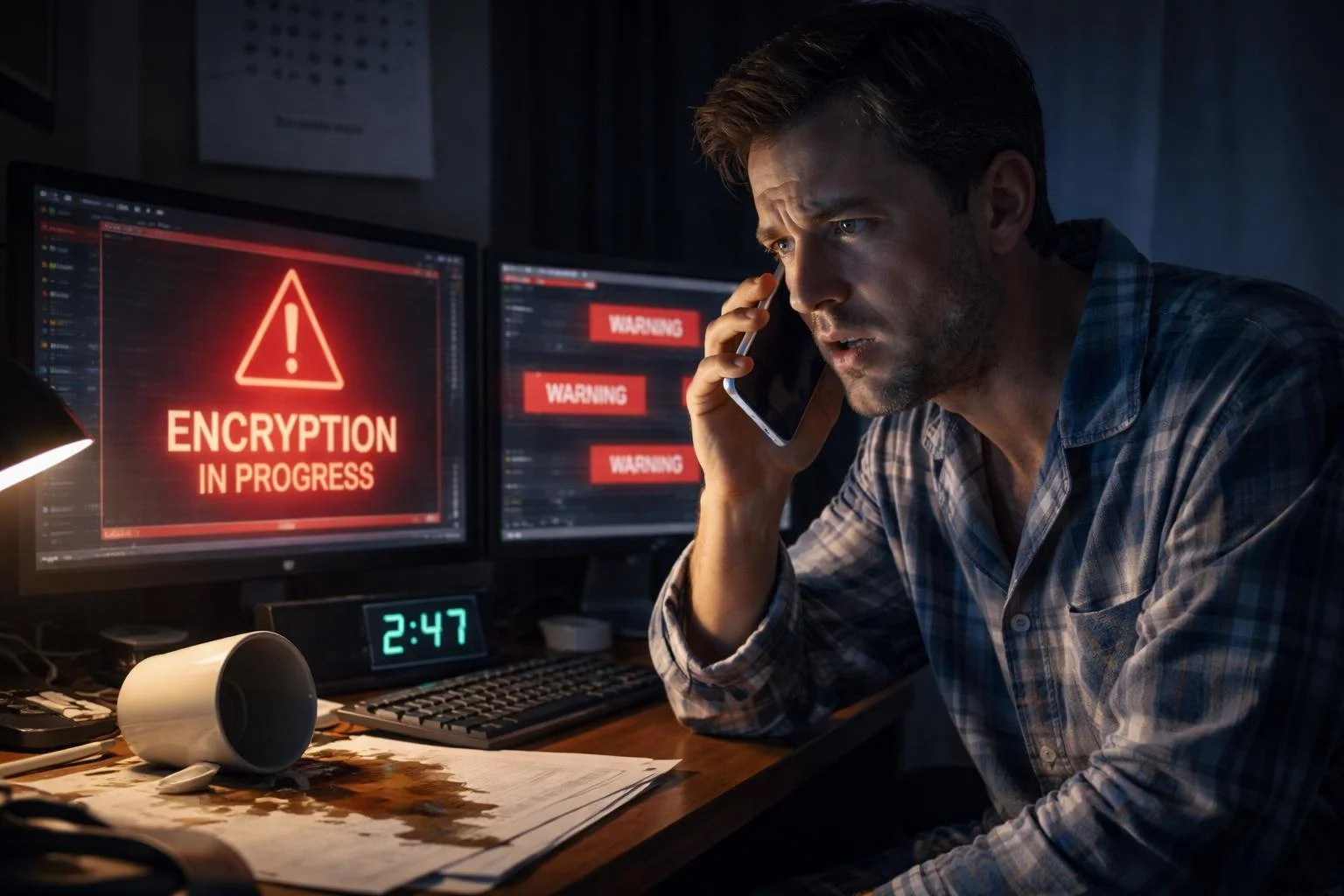
The realistic breakdown of what happens after a phishing attack hits a small business—from the 2:47 AM phone call to the $427,000 bill that follows.
Last Updated: March 30, 2026
Reading Time: ~10 minutes
The Call
It's 2:47 AM on a Wednesday when your phone vibrates. Jake's name glows on the screen—your part-time IT guy who normally comes in Tuesdays and Thursdays.
Your stomach drops before you're even fully awake.
"We have a situation," he says. "Sarah clicked a link yesterday morning. I just got an alert. Your server is encrypting files right now."
Sarah Mitchell. Your office manager. Does accounting, HR, coordinates everything. Been with you eight years. Just clicked what looked like a perfectly legitimate DocuSign request from your biggest client.
This is the moment every small business owner fears. You don't have a security team. You don't have an IT director. You have Jake (20 hours a week), Sarah (who wears six hats), and a 28-person business that's about to face the fight of its life.
What follows isn't the Hollywood version. It's the real version—the exhausting, expensive 72 hours that could determine whether your business survives.
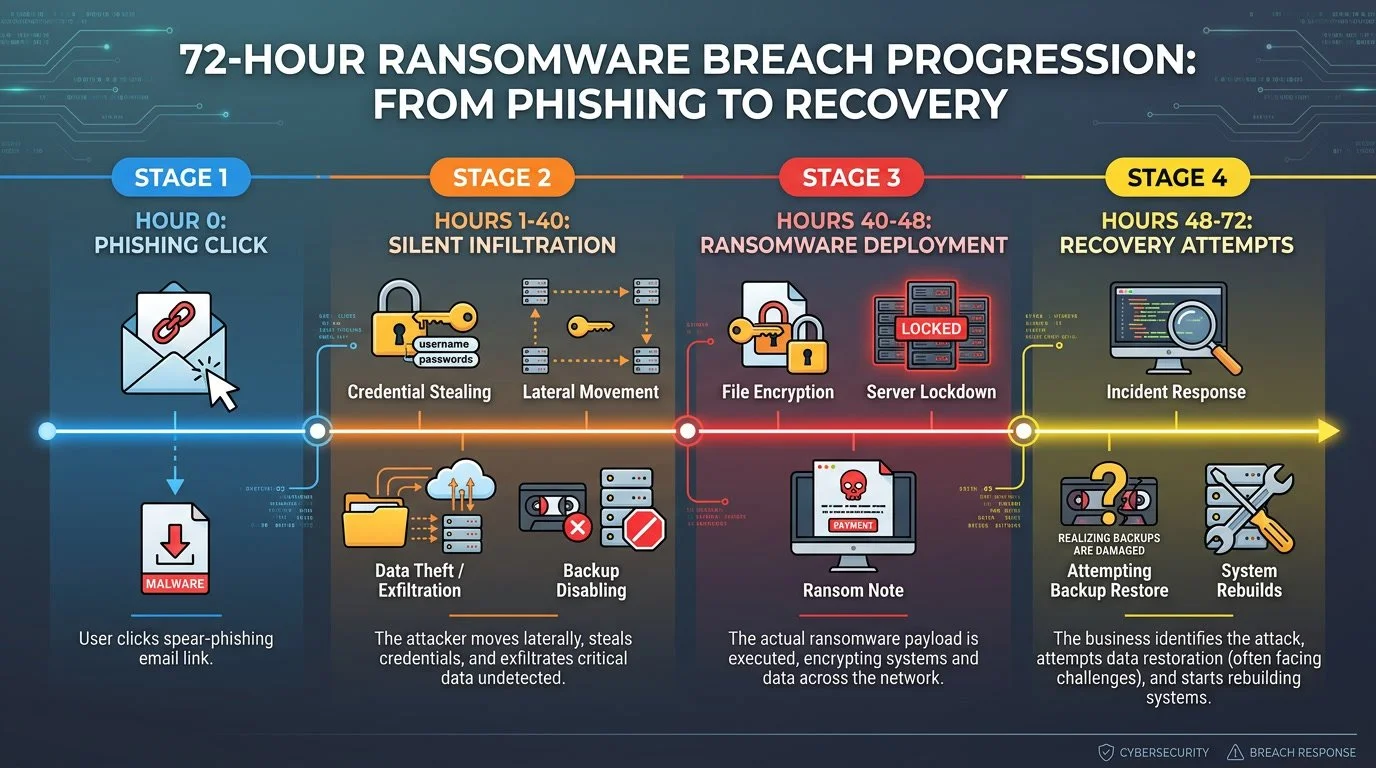
Hour 0-6: Discovery and Scrambling
2:47 AM - What's Actually Happening
By the time you're on the phone, the damage is spreading:
340 files already encrypted
QuickBooks database locked
Customer orders folder encrypted
Backup drive (connected to same network) being encrypted
Jake needs decisions. Fast ones. There's nobody else to make them—no IT committee, no security team. Just you, in your pajamas, trying not to panic.
Decision 1: Shut everything down
Every minute investigating is another minute of encryption. You tell Jake to disconnect everything. Pull network cables. Stop the bleeding now, investigate later.
Decision 2: Who do you call at 3 AM?
This is when you realize how unprepared you are. You don't have a cyber insurance broker on speed dial. You don't have a lawyer on retainer. You don't have a forensics firm relationship.
You do what every small business owner does: You start Googling.
At 3:15 AM, you find your cyber insurance policy (buried in email from two years ago). You call the emergency number. It rings. Voicemail. You leave an urgent message.
You find a forensics company with 24/7 service. They answer. They want $10,000 retainer to start. Right now. You give them your credit card over the phone.
First hour cost: $10,000 (forensics retainer, credit card maxed)
Hour 1-6: The Ransom Note
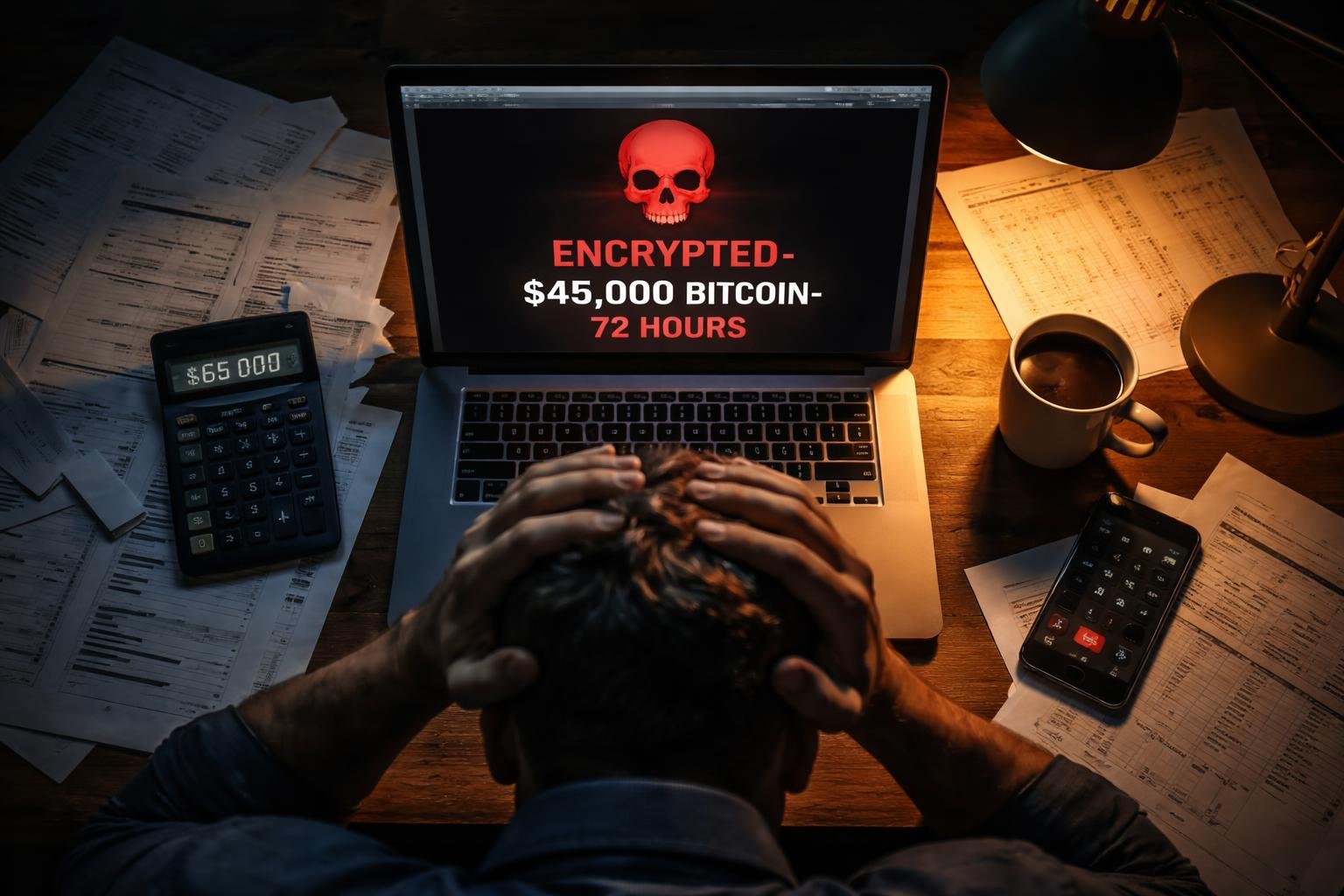
By 4 AM you're at the office. Jake shows you the ransom note on every encrypted desktop:
"Your network has been encrypted. We have copied your data before encryption. Payment: $45,000 in Bitcoin. Deadline: 72 hours. Pay: files decrypted, data deleted. Don't pay: files stay encrypted, data published online."
Forty-five thousand dollars. That's almost what you paid yourself last year. That's two months of payroll.
The samples they attached are real. Customer records. Financials. Employee data.
What the forensics team discovers:
The attack didn't start this morning. It started 40 hours ago:
Tuesday, 9:47 AM: Sarah receives professional DocuSign-style email
Tuesday, 9:49 AM: Clicks link, enters credentials on fake Microsoft login page
Tuesday, 10:05 AM: Attacker logs into your network from Romania
Tuesday-Wednesday (40 hours): Maps network, steals data, disables backups
Wednesday, 2:30 AM: Ransomware deploys
They had 40 hours of complete access to everything.
What was stolen:
Customer database (1,847 records with names, addresses, payment info)
Financial records (3 years of QuickBooks, bank statements, tax returns)
Employee information (23 employees with SSNs, salary data)
Vendor contracts and strategic documents
The Critical Decision: Do We Pay?
It's 7 AM. You're sitting with Jake and your business partner.
Forty-five thousand dollars. You have $65,000 in operating cash. But payroll is next Friday ($28,000). Rent is due ($4,500). Supplier payment due ($12,000).
Arguments FOR paying:
Fastest recovery path
Can't survive 3 weeks down
Customers will leave
Arguments AGAINST paying:
50% chance decryption keys don't work
Doesn't solve data theft—still need to notify customers
Doesn't remove their access—they could come back
Paying doesn't eliminate legal obligations
The math:
If you pay $45K:
Maybe get files back (50% success rate)
Still need forensics, legal, notifications, rebuild
Total: ~$195,000
If you don't pay:
Full rebuild from scratch
Forensics, legal, notifications, security
Total: ~$235,000
Difference: $40,000 (maybe, if keys work, if they keep their word)
Your decision: You don't pay.
Not because it's "right"—because paying doesn't solve the actual problem. You still need full incident response either way.
Hour 6 running costs: $33,000 (forensics, attorney, lost revenue starting)

Hour 6-24: The Full Impact Becomes Clear
The Security Failures That Let This Happen
The forensics investigator doesn't sugarcoat it. Here's what you DIDN'T have:
Failure 1: Basic Gmail Security Isn't Enough
What you had: Gmail for Business (included security)
Why it failed: Doesn't catch sophisticated phishing
What would have worked: Advanced email security (Proofpoint, Mimecast)
Cost to prevent: $3,000-5,000/year for 28 users
Failure 2: No Multi-Factor Authentication
What you had: Passwords only
Why it failed: Once they got Sarah's password, they had everything
What would have worked: MFA on email, network, everything
Cost to prevent: $1,000/year (mostly setup time)
Failure 3: No Endpoint Detection
What you had: Basic Windows Defender
Why it failed: Didn't detect credential theft, lateral movement, data exfiltration
What would have worked: EDR (Huntress, SentinelOne)
Cost to prevent: $6,000-8,000/year for 28 computers
Failure 4: No 24/7 Monitoring
What you had: Jake checks things when he's in office
Why it failed: 40-hour gap between breach and discovery
What would have worked: SIEM with 24/7 SOC monitoring
Cost to prevent: $8,000-12,000/year
Failure 5: Backups on Same Network
What you had: Backup drive plugged into main server
Why it failed: Attackers encrypted the backups too
What would have worked: Air-gapped or cloud backups
Cost to prevent: $1,500/year
Total cost of prevention: $19,500-28,500/year
You're about to learn the breach costs 15-20x that amount.
The Legal Obligations You Didn't Know About
Your attorney delivers bad news: "You're required to notify affected individuals and provide credit monitoring. This isn't optional."
Customer notification:
Must notify 1,847 customers in writing
Must offer credit monitoring for SSN exposure
Must set up call center for questions
Notification costs:
Printing and mailing: $2,771
Credit monitoring (1,847 × $15/year): $27,705
Call center: $8,000
Attorney drafting letters: $3,000
Total: $41,476
That's almost the same as the ransom - just for telling people what happened.
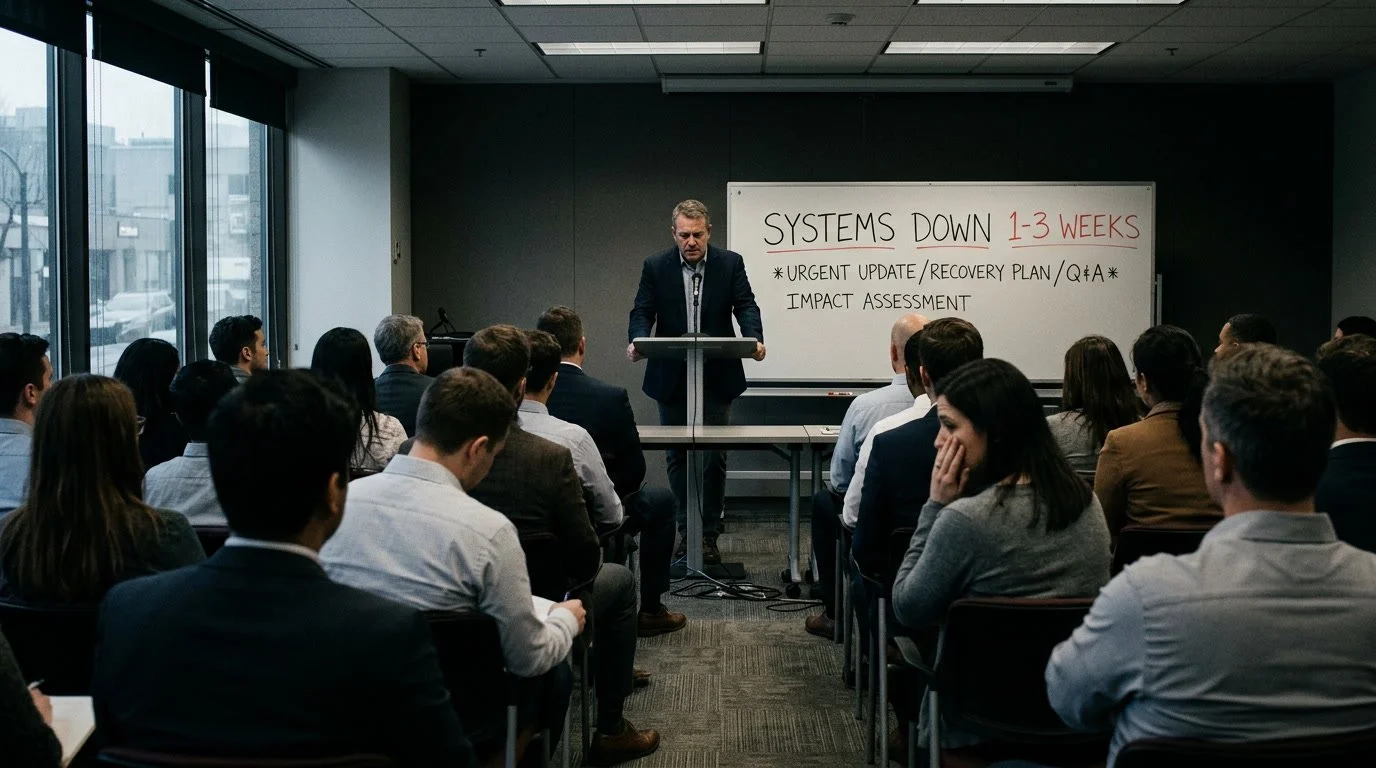
Telling Your Team
8:30 AM. Your 23 employees arrive to half the systems down.
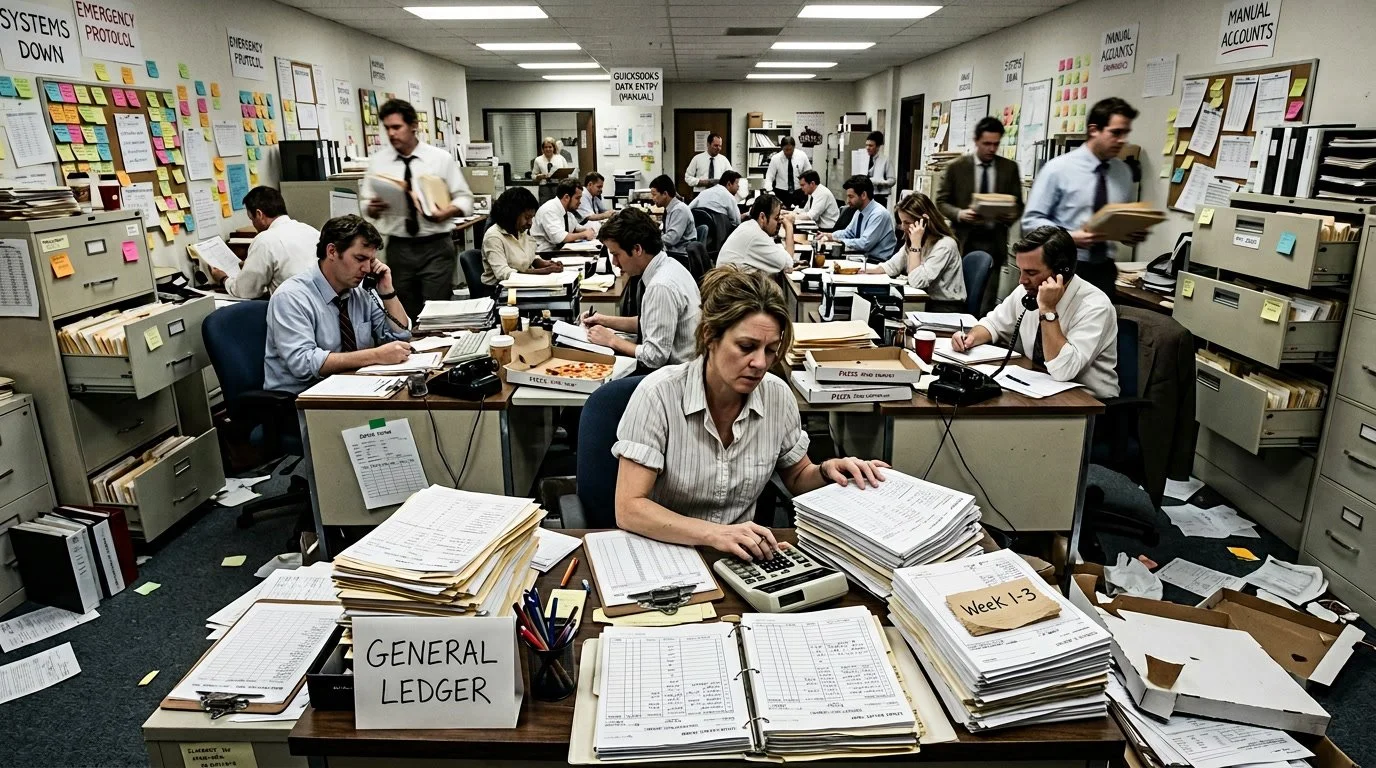
You call everyone together: "We experienced a cybersecurity incident. Systems are down for 1-3 weeks. We'll operate manually. Email down. QuickBooks down. Everything on paper for now."
The questions hit hard:
"Are we going out of business?" (God, I hope not)
"Is this Sarah's fault?" (No, could have happened to anyone)
"Are we still getting paid?" (Yes, I'll figure it out)
Sarah is crying. You make it clear publicly: this wasn't her fault. The email looked completely legitimate.
Hour 24-48: The Grinding Reality
Day 2: Operations in Crisis Mode
Customer impact (first 24 hours):
83 phone calls asking about order status
12 customers cancelled orders (can't wait 2-3 weeks)
6 customers went to competitors
Your biggest customer (15% of revenue) asking if you're "stable enough"
Employee impact:
Everyone working 12-hour days on manual processes
Productivity down 70%
Two employees asking if their jobs are safe
Your best salesperson fielding recruiter calls
Vendor problems:
Main supplier calling about late payment
Bank asking about unusual activity
You're writing manual checks for everything
Operating "manually":
Orders on paper forms from 2010
Invoicing via Word templates and calculators
Inventory on clipboard
Everything takes 3x longer
The Complete Cost Breakdown
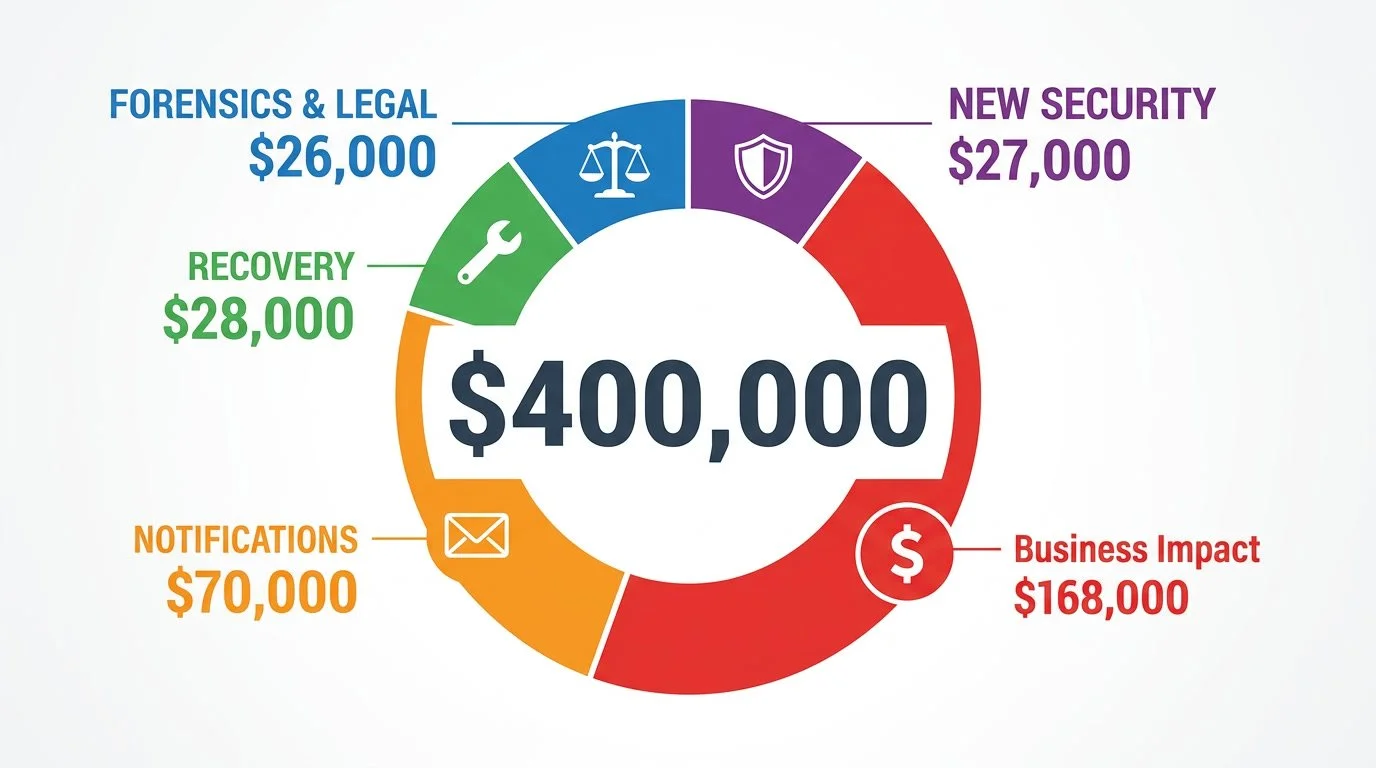
You sit down with Sarah and your partner to total the damage:
Direct Response Costs:
Forensics investigation: $15,000
Attorney fees: $8,000
IT emergency response: $3,000
Subtotal: $26,000
Recovery Costs:
System rebuild: $12,000
New hardware: $8,000
Software re-licensing: $3,000
Data reconstruction: $5,000
Subtotal: $28,000
Notification Costs:
Customer notification: $33,476
Employee notification: $3,500
Credit monitoring: $27,705
PR consultant: $5,000
Subtotal: $69,681
New Security Implementation:
Advanced email security: $4,000/year
EDR for 28 endpoints: $7,000/year
24/7 monitoring: $10,000/year
MFA implementation: $1,000
Better backups: $1,500/year
Security assessment: $3,000
Subtotal: $26,500
Business Impact:
Lost revenue (3 weeks): $120,000
Employee overtime: $8,000
Lost customers (acquisition cost): $15,000
Lost deals: $25,000
Subtotal: $168,000
Total Year 1 Impact: $318,181
Plus:
Interest on $150K emergency loan you just took
Tripled insurance premiums when you renew
200+ hours of your time not working ON the business
Reputation damage in your business community
Real total: $400,000-450,000
The ransom was $45,000.
The actual cost is 9-10x the ransom.
Your annual revenue: $2.8 million
Your annual profit: $280,000
This breach just cost you 1.5 years of profit.
Hour 48-72: Survival Mode
Day 3: Progress
Friday, 2:47 AM. Jake texts: "First server rebuild complete. Starting testing."
By Friday afternoon:
One server operational
Email back online (new accounts for everyone)
QuickBooks restoring from 3-week-old backup (manually entering 3 weeks of data)
Operating at 40% capacity (up from 0% Wednesday)
You survived. Barely.
The Statistics: You're Not Alone
This isn't unique. According to recent industry data:
Small Business Reality:
43% of cyberattacks target small businesses (Verizon DBIR 2025)
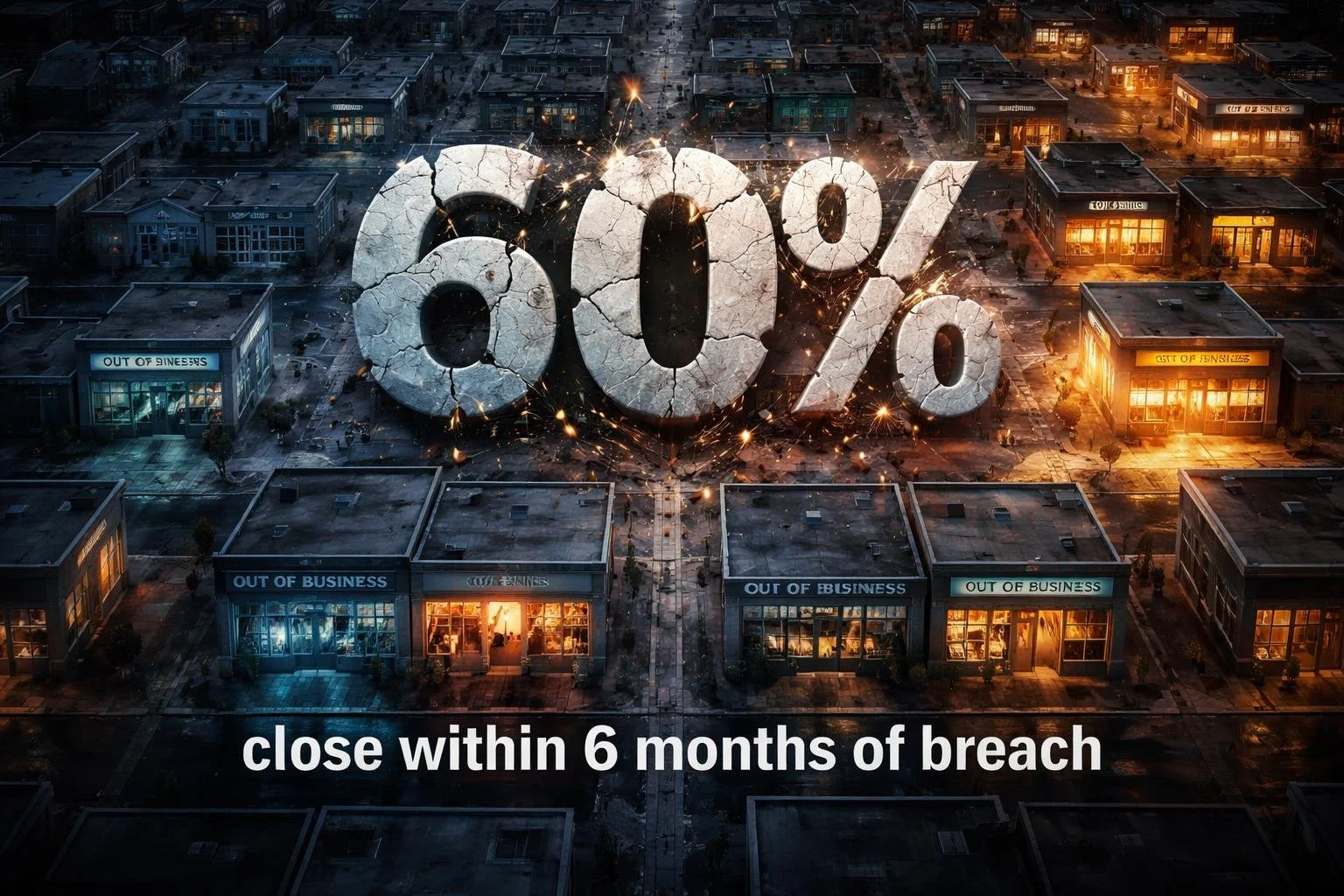
60% of small businesses close within 6 months of a major cyber incident (Total Assure 2025)
90% of businesses experienced phishing attack in past year
Breach Costs:
Global average breach cost: $4.44 million (IBM 2025)
US average: $10.22 million (record high)
Phishing breach average: $4.8 million
Small business average: $120,000-$1.24 million depending on size (Total Assure 2025)
Phishing as Attack Vector:
Phishing responsible for 16% of all breaches (most common initial vector)
68% of breaches involve human element (phishing, stolen credentials, social engineering)
33.1% of employees will click phishing links without training (KnowBe4 2025)
Training reduces click rate to 4.1% after one year (86% improvement)
Business Email Compromise:
$2.77 billion in BEC losses in US (2024) (FBI IC3 2024)
70% of financial organizations targeted weekly
Average BEC loss: $50,000 (median)
AI Making It Worse:
1,265% increase in AI-generated phishing attacks
AI-powered attacks have 42% higher success rate
97% of AI-related breaches lacked proper access controls
Detection Impact:
Breaches detected after 200 days cost $1.2M more
Organizations using AI/automation save average $1.9M in breach costs
What You Should Have Done (And Will Do Now)
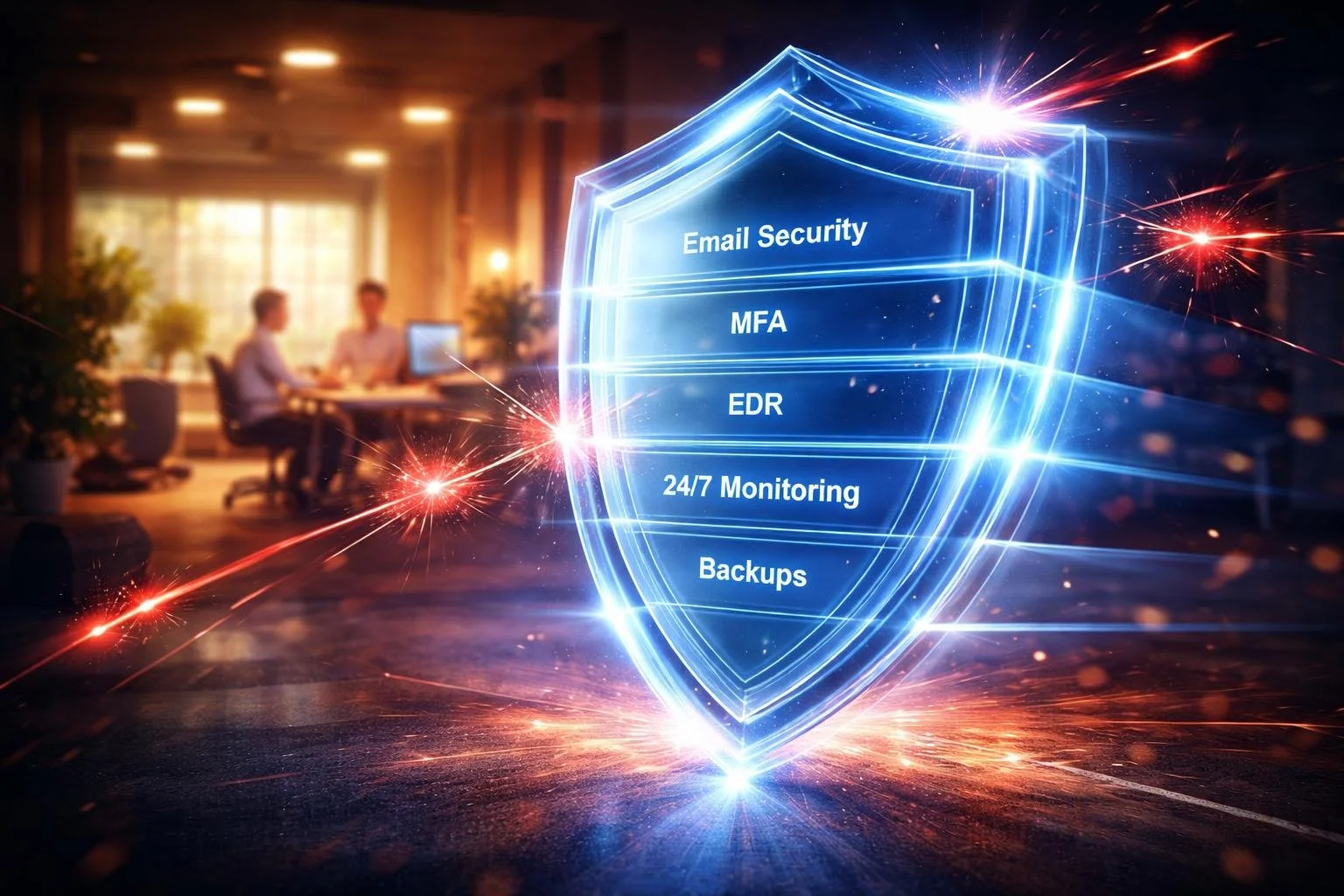
The Prevention Stack That Would Have Stopped This
Advanced Email Security
Solutions like Proofpoint, Mimecast, or Barracuda (not just Gmail)
Blocks 90%+ of phishing emails before they reach users
Costs a fraction of breach recovery expenses
Would have blocked the email that started this entire crisis
Multi-Factor Authentication
MFA on email, VPN, all critical systems
Even if Sarah entered her password, attackers couldn't use it
Minimal cost (mostly setup time and configuration)
This single control would have stopped the entire attack
Endpoint Detection & Response
Solutions like Huntress, SentinelOne (not just antivirus)
Detects credential theft, lateral movement, abnormal behavior
Would have caught the Romania login immediately
Provides 24/7 threat detection across all endpoints
24/7 Security Monitoring
Managed SIEM service with Security Operations Center
Reduces dwell time from 40 hours to 1-2 hours
90% less damage when detected in hours vs. days
Continuous monitoring catches breaches before they spread
Air-Gapped Backups
Backups attackers can't access or delete
Tested monthly to verify they work
Your recovery plan when prevention fails
The Investment vs. The Cost
Prevention investment: Typically represents less than 1% of annual revenue for a small business
Breach cost: $400,000+ (14% of annual revenue for this company)
The math is clear: Even a modest investment in security pays for itself many times over. For a 28-person, $2.8M company, comprehensive security typically costs $20,000-30,000 annually—less than what you'd lose in a single week of downtime.
But here's the real ROI: With this security stack in place, the breach wouldn't happen at all..
What To Do Right Now (This Week)
You don't have $25,000 to spend tomorrow. But you can start with basics that stop 80% of attacks.
Monday Morning (Free - 2 hours):
Enable MFA everywhere:
Google Workspace/Microsoft 365 (free, just needs setup)
Bank accounts, any system with sensitive data
Use Google/Microsoft Authenticator (free apps)
Test your backups:
Actually restore something
Verify it works
If it doesn't, find out NOW
Tuesday (2 hours):
Run phishing simulation:
KnowBe4 free trial, see who clicks
Don't punish clickers—train them
Remove unnecessary admin rights:
Most users don't need admin access
Takes 30 minutes per user
Wednesday (2 hours):
Review cyber insurance policy:
Read what's actually covered
Understand requirements (MFA, backups)
Get quotes if you don't have coverage
Create emergency contact list:
IT support, attorney, insurance broker
Forensics firm (before you need them at 3 AM)
Thursday (2 hours):
Audit access rights:
Who has access to what?
Principle of least privilege
Remove access for terminated employees
Set up login alerts:
Email notification on admin logins
Email notification on unusual locations
Friday (3 hours):
Get security quotes:
Advanced email security (3 vendors)
EDR solution (3 vendors)
Monitoring service (3 vendors)
Create 30-60-90 day roadmap:
What you'll implement when
Budget required
Who's responsible
Cost this week: $0-$500 (just your time)
Risk reduction: Massive (MFA + basic hardening stops 70-80% of attacks)

The THINKFLEX Approach: Security for All Businesses
We built THINKFLEX for businesses that need enterprise-grade security without enterprise-level complexity or cost. Real protection. Real-world budgets.
Before the Breach (Prevention)
Complete Security Stack for 28 Users:
Proofpoint Email Protection (stops 95%+ of phishing)
Huntress Managed EDR (24/7 threat detection)
Huntress Managed SIEM (24/7 SOC monitoring)
Air-gapped backup solution (tested monthly)
Security awareness training (monthly phishing tests)
Total: $19,500-29,000/year
For a $2.8M company, that's 0.7-1.0% of revenue.
Compare to:
This breach: $400,000 (14% of revenue)
Going out of business: Everything
During a Breach (If Prevention Fails)
The 2:47 AM call doesn't happen.
Our SOC sees the suspicious Romania login at 10:05 AM Tuesday. Investigates immediately. Locks the account within 15 minutes. Calls you at 10:30 AM:
"We detected and blocked a credential compromise attempt. Account locked. No data accessed. Systems secure. Full report by end of day."
If an attack progresses despite prevention:
Detection: 40 hours → 15-60 minutes
Containment: Days → Hours
Recovery: Weeks → Days
Cost: $400,000 → $25,000-50,000
Business impact: Devastating → Manageable
The difference: Early detection + rapid response = 90% cost reduction

The 73rd Hour: The Choice
It's Saturday afternoon. 73 hours since Jake's call.
You're exhausted. $150,000 in debt. Facing $400,000 total impact. Customers nervous. Employees traumatized.
But you survived. Systems coming back online. You're at 60% capacity and climbing.
You make yourself a promise: This will never happen again.
Not because you can prevent every attack—you can't. But because next time, you'll be prepared.
You pick up the phone.
Not at 2:47 AM in a panic. At 3:30 PM on Saturday, thinking clearly.
You call to prevent the next breach.
Because you've learned: The best time to prepare was five years ago. The second-best time is right now.
Don't Wait for Your 2AM Call
Free External Security Exposure Check
Before attackers find your vulnerabilities, let us show you what they see.
We'll scan your external-facing systems to identify critical security gaps that could lead to a breach—the same vulnerabilities attackers are actively searching for right now.
Your Free Exposure Check Includes:
✅ Email Security Scan (DMARC/SPF/DKIM)
Is your email authentication properly configured?
Can scammers impersonate your domain?
Email security posture assessment
✅ Breached Credentials Check
Are your credentials already compromised?
Employee emails found in breach databases
✅ Website Security Headers Scan
Missing browser security protections
Publicly visible vulnerabilities
Technical details exposed to attackers
✅ Website Accessibility Assessment (AODA)
Compliance status
User experience gaps
Legal exposure
✅ Written Findings Report
Clear, non-technical summary
Immediate action items
Budget-appropriate recommendations
No-obligation conversation
What makes us different: We have direct access to enterprise-grade security platforms including Proofpoint, Huntress, Bitdefender, and advanced backup solutions like Cove—so we can show you exactly what protection looks like for your environment.
This Isn't a Sales Pitch. It's a Reality Check.
The statistics are clear:
43% of attacks target small businesses
60% close within 6 months of major incident
Average breach: $400,000+
But most breaches are preventable with basic security controls
Your exposure check takes 24-48 hours. A breach takes everything.
No high-pressure sales. No enterprise pricing. Just honest assessment of what attackers can see—and what you need to do about it.
Don't become a statistic.
References
IBM Security Cost of a Data Breach Report 2025 - Global breach costs, phishing costs, AI threats
https://www.ibm.com/reports/data-breachVerizon Data Breach Investigations Report 2025 - Human element in breaches, attack targeting
https://www.verizon.com/business/resources/reports/dbir/FBI IC3 2024 Annual Report - BEC losses, total cybercrime costs
https://www.ic3.gov/Media/PDF/AnnualReport/2024_IC3Report.pdfKnowBe4 2025 Phishing Benchmark Report - Click rates, training effectiveness
https://www.knowbe4.com/resources/reports/phishing-by-industry-benchmarking-reportTotal Assure - Cyber Attacks on Small Businesses Statistics 2025 - SMB breach costs ($120K average), 60% closure rate
https://www.totalassure.com/blog/cyber-attacks-on-small-businesses-statistics-2025NinjaOne - SMB Cybersecurity Statistics 2025 - Downtime costs, SMB targeting rates
https://www.ninjaone.com/blog/smb-cybersecurity-statistics/