
The Enemy Within: Why Insider Threats Are Harder to Stop Than Hackers
Your biggest security risk isn't a hoodie-wearing hacker in a basement. It's Janet from accounting. And your security stack can't see her.

You've spent thousands on firewalls. You've got endpoint protection on every device. Your email security catches 99% of phishing attempts. Your network is locked down tighter than Fort Knox.
And yet, right now, someone with a legitimate username and password is downloading files they shouldn't have. Accessing systems they don't need. Transferring data to personal accounts. Maybe on purpose. Maybe by accident. Maybe because their credentials were stolen three months ago and nobody noticed.
Your perimeter defenses are working perfectly. The threat is already inside.
The Numbers Don't Lie (And They're Terrifying)
Here's what happened in 2025:
83% of organizations experienced at least one insider attack
Not "might experience." Not "could happen to us." Experienced. Past tense. It already happened.
But it gets worse.
Organizations that reported 11 to 20 insider attacks? That number jumped five times from 2023 to 2024. From 4% to 21% 1 — and the trend accelerated through 2025.
One in five companies is dealing with insider threats monthly.
And the financial damage? $19.5 million per year 2 on average according to the 2026 Ponemon Cost of Insider Risks Report. That's up 109% since 2018 — and rising.
A single negligent insider incident costs $747,107 2 to remediate on average. And if that insider was malicious (not just careless), the breach cost jumps to $4.99 million 2, making it the single most expensive type of attack to originate.
Let's put this in perspective: External hackers need to find vulnerabilities, bypass defenses, escalate privileges, and evade detection. Insiders? They log in. With credentials your systems trust completely.
Why Traditional Security Fails Against Insiders
Your security tools are designed to keep bad guys out. But insiders are already in.
They're using legitimate credentials. Every login looks normal. Every file access is "authorized." Every data transfer uses approved tools.
They know where the valuable data lives. You train employees on how to use systems. They know exactly which folders contain customer data, financial records, intellectual property, and trade secrets.
They understand your security measures. They've been through security awareness training. They know what gets flagged. They know what doesn't.
Their actions blend into normal activity. When a developer downloads source code, that's their job. When finance accesses payroll data, that's expected. When someone forwards emails to a personal account... well, maybe they're working from home?
Traditional perimeter defenses are utterly useless. Your firewall doesn't stop someone who's already authenticated. Your antivirus doesn't flag legitimate tools being used for illegitimate purposes.
And here's the kicker: 90% of security teams say insider threats are as hard or harder to detect than external attacks.
They're right.
The Three Types of Insider Threats (And Why Each One Is Dangerous)
Not all insider threats are created equal. Understanding the difference is critical because each requires different defenses.

Type 1: The Negligent Insider
This is the biggest category. These aren't bad actors. They're careless ones.
What they do:
Click phishing links in legitimate-looking emails
Share credentials with coworkers "to be helpful"
Misconfigure cloud storage ("Anyone with the link can view")
Take work home on unencrypted USB drives
Use shadow IT because approved tools are "too slow"
Ignore software updates because they're "annoying"
Why they're dangerous: They don't think they're doing anything wrong. That budget spreadsheet they uploaded to Google Drive for easier collaboration? It has customer credit card data in column F. The password they shared with a temp worker? That temp left three months ago and the password is still active.
The hidden threat: Most organizations focus on malicious insiders and miss the fact that more than half of all incidents are simply people making mistakes. Your security awareness training says "don't click suspicious links," but that email from "IT Support" looked totally legitimate.

Type 2: The Malicious Insider
These are the ones that keep security professionals up at night.
Who they are:
Disgruntled employees planning their exit
Financially motivated insiders (89% of malicious cases)
Competitors' recruited accomplices
Nation-state plants (yes, really)
Revenge-seekers after termination or demotion
What they do:
Systematically exfiltrate intellectual property before resignation
Sabotage systems or delete critical data
Steal customer lists to bring to competitors
Sell access to ransomware groups
Plant backdoors for future exploitation
The scary part: They plan ahead. They know detection methods. They clean up logs. They use encrypted channels. They time their attacks for maximum damage (Friday afternoon, holidays, during major company events).
And the average time to detect and contain? 67 days according to the 2026 Ponemon report. Over two months of unrestricted access while you have no idea anything is wrong.
Type 3: The Compromised Insider
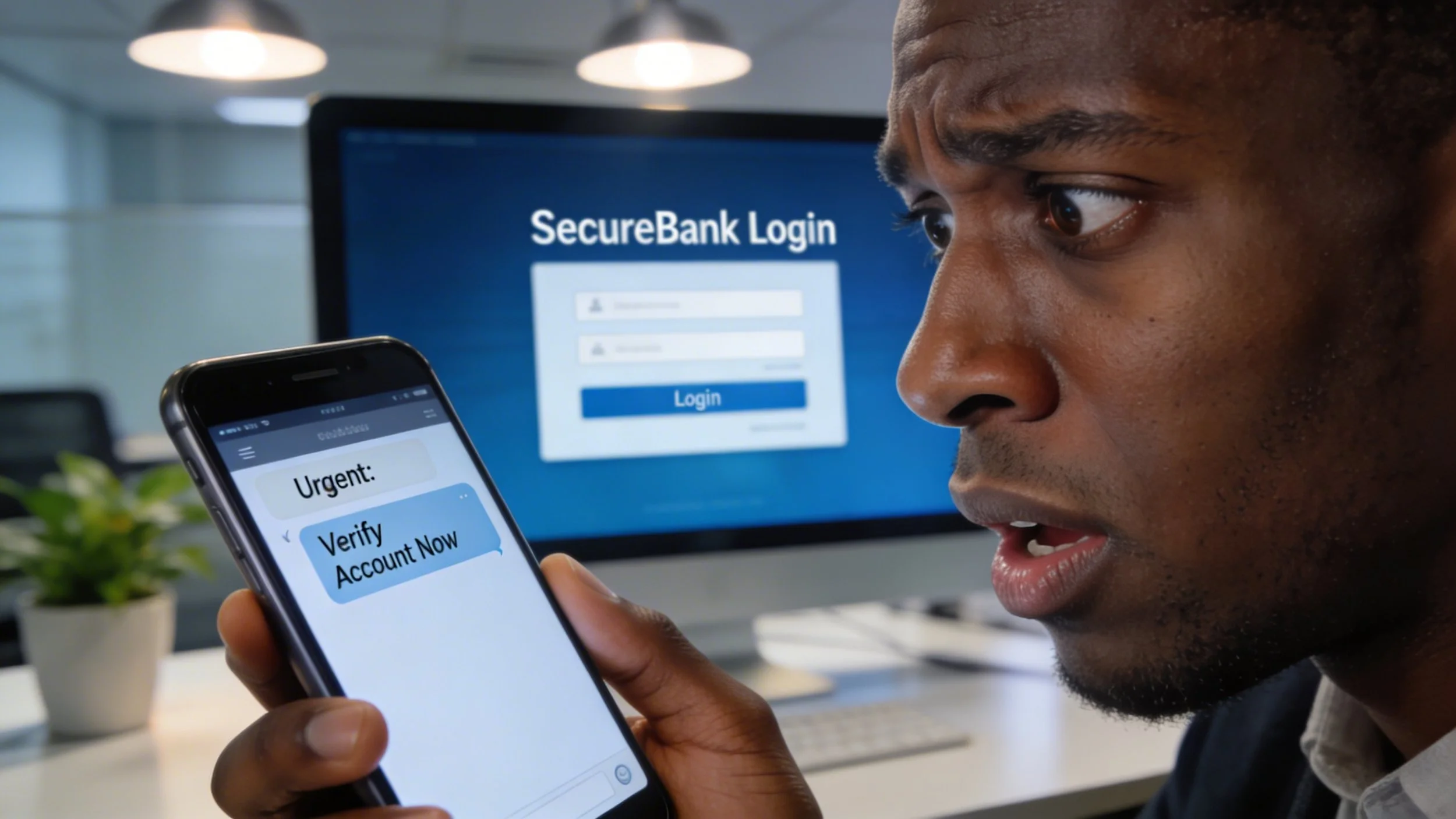
Their credentials were stolen. They have no idea they're part of an attack.
How it happens:
Phishing attack steals their password
Credential stuffing (they reused a password from a breached website)
Malware on personal device that's used for work
Man-in-the-middle attack on public Wi-Fi
Social engineering at a conference
Why it's insidious: The employee is still working normally. They see nothing wrong. But an attacker in another country is using their credentials to access sensitive data, escalate privileges, or move laterally through your network.
The detection nightmare: How do you tell the difference between "Sarah logged in from home at 8 PM to finish a report" and "an attacker in Romania logged in with Sarah's stolen credentials at 8 PM"?
Spoiler: Without behavioral analytics and anomaly detection, you can't.

Why It Takes So Long to Catch Them
Average time to detect and contain an insider incident: 67 days according to the 2026 Ponemon report. That's down from 86 days in 2023, but still over two months.
For insider-caused breaches that go undetected initially? IBM reports 292 days on average.
Why does it take so long?
Legitimate access = legitimate-looking activity. When every action uses valid credentials and approved tools, there's nothing obviously "wrong" to flag.
Lack of visibility into user behavior. Most organizations monitor network traffic and system logs. Very few monitor what users actually do with the data they access. Who downloaded what. Who copied files where. Who accessed something they haven't touched in six months.
Too many alerts, not enough context. Your SIEM generates 10,000 alerts per day. Which ones matter? Which "unusual file access" event is someone doing their job versus someone stealing data?
Delayed incident discovery. Many insider breaches are discovered only when:
A departing employee's manager notices files are missing
A customer reports their data was leaked
Law enforcement notifies you that your data is for sale
An attacker who bought insider access uses it
By the time you know, the damage is done.

Real-World Impact: What This Actually Costs
Let's talk about what happens when insider threats go undetected.
Financial services firm, early 2024: A departing employee downloaded over 100,000 customer records weeks before resignation. Cost to remediate: $1.8 million. They had valid credentials. Perimeter defenses worked perfectly. Nobody noticed until it was too late.
Healthcare organizations: 70% of data breaches originate internally. Not from sophisticated hackers. From employees, contractors, and business partners with legitimate access. Average cost per healthcare breach: $7.42 million, the highest of any industry.
Financial sector breaches: 44% are internal. When they're malicious, they're often privilege abuse (using authorized access inappropriately). The motive? Financial gain in 89% of cases.
The multiplication effect: A single insider incident can:
Trigger regulatory fines (GDPR violations from insider threats average €7.2 million)
Destroy customer trust
Enable follow-on attacks
Result in intellectual property theft
Cause operational disruption
Lead to class-action lawsuits
And here's the part that really hurts: Detection delays increase breach expenses by over $1 million on average.
Every day an insider threat goes undetected is money hemorrhaging from your organization.
The Growing Attack Surface (And Why It's Your Fault)
Remember when employees worked at desks? In offices? On corporate-owned devices? On corporate networks?
Yeah, the world works a bit differently now.
The modern attack surface includes:
Remote workers on home Wi-Fi
Personal devices accessing company data (BYOD)
Cloud applications (SaaS sprawl)
Contractor and vendor access
Shadow IT (employees using unapproved tools)
Third-party integrations
IoT devices
42% of employees admit to using unauthorized applications or services to perform work duties.
That means nearly half your workforce is actively circumventing your controls. Not maliciously. Because the approved tools are slow, clunky, or don't do what they need.
The contractor problem: Contractors often have more access than employees. Why? Because they need to "get the job done" and nobody wants to deal with granular access controls. Result: temporary workers with permanent access to critical systems.
And when that contractor's engagement ends? The employee who left six months ago still has access to everything.
What Makes This Worse: Organizations Aren't Prepared
Only 36% of organizations have effective visibility and access control in place.
Only 29% feel fully equipped with the right tools to protect against insider threats.
76% blame complicated IT environments for their increased vulnerability.
Translation: Most companies know they have an insider threat problem. They know they're not prepared. They know their environment is too complex to monitor effectively. And they're doing it anyway because what else can they do?
Here's what else: Organizations undergoing layoffs or significant restructuring experience 3.2 times more insider incidents.
Think about that. When you're cutting staff, those departing employees know it. Some will act maliciously. Many will act carelessly (taking "their" work with them). And your security team is probably getting cut too.
What Actually Works
(And What Doesn't)
Let's be clear: You can't eliminate insider threats. But you can detect them faster and minimize damage.
What DOESN'T work:
❌ More training alone (negligence persists despite training)
❌ Stricter policies without enforcement (ignored or circumvented)
❌ Traditional antivirus and firewalls (useless against insiders)
❌ Hoping employees "do the right thing" (55% don't, unintentionally)
❌ Annual access reviews (too slow, too infrequent)
What DOES work:
1. User and Entity Behavior Analytics (UEBA)
This is how you detect the anomalies that traditional tools miss.
What it monitors:
Unusual file access patterns
Bulk downloads or transfers
Access to data outside normal job function
Login times and locations that deviate from baseline
Use of privileged credentials
Lateral movement through systems
Why it matters: When Sarah in marketing suddenly accesses the HR database at 2 AM from a coffee shop, that's not "authorized access." That's an anomaly worth investigating.
2. Employee Activity Monitoring and Insider Threat Detection
This is where you see what employees are actually doing with their access, not just that they logged in.
What Insightful.io provides:
Real-time activity monitoring and screenshots
Automated alerts for suspicious behavior
App and website usage tracking
Unauthorized access detection
IT forensics and digital evidence trails
Risk user identification dashboards
Policy violation alerts
Why it's critical: An employee downloading 50GB of data at 3 AM on a Friday before a long weekend is a red flag. But only if you're actually monitoring behavior, not just network traffic.
The Insightful.io advantage: AI-powered alerts that detect patterns traditional tools miss. When someone's behavior changes (sudden interest in files they've never touched, unusual login times, mass downloads), you get alerted before the data walks out the door.
3. Identity Threat Detection and Response (ITDR)
This is the new frontier. Think EDR (Endpoint Detection and Response) but for identities.
What it does:
Monitors for compromised credentials
Detects privilege escalation attempts
Identifies account takeovers
Tracks credential abuse
Enforces least privilege access
Automates deprovisioning
Why it's critical: Attackers using stolen credentials are indistinguishable from legitimate users without behavioral analytics and identity monitoring.
4. Data Loss Prevention (DLP)
Not the old-school "block USB drives" DLP. Modern DLP that actually understands data context.
What modern DLP does:
Identifies sensitive data wherever it lives
Monitors how data moves (email, cloud, USB, print)
Enforces policies based on data classification
Prevents unauthorized sharing or exfiltration
Logs all data access for forensics
The key: You can't protect what you can't see. Most organizations have no idea where their sensitive data actually lives.
5. Security Information and Event Management (SIEM)
But only if it's actually managed. A SIEM that generates alerts nobody investigates is useless.
What a managed SIEM (like Huntress) provides:
Correlation of events across all systems
Behavioral baselines for normal activity
Automated threat hunting
Incident investigation and forensics
Compliance reporting
The difference: Detection without response is just expensive logging.
6. Privileged Access Management (PAM)
If your IT admin can read everyone's email, that's a problem.
What PAM enforces:
Just-in-time access (temporary elevation)
Session recording for privileged activities
Separation of duties
Approval workflows for sensitive actions
Automated credential rotation
The principle: Trust nobody. Especially the people with the keys to everything.
7. Automated Offboarding
The employee who left six months ago? Their access should have been revoked six months and one day ago.
What automation handles:
Disable accounts immediately upon termination
Revoke access to all systems and applications
Transfer ownership of files and data
Log final account activity for review
Alert security team to unusual pre-termination activity
The reality check: Manual offboarding fails. Always. Automation doesn't.

The THINKFLEX Approach: Managed Detection Before It's a Breach
Here's the problem with all the tools we just listed: They require expertise to configure, monitor, and respond to effectively.
Most small and medium businesses don't have dedicated security operations centers. They don't have threat hunters. They don't have UEBA specialists.
They have an IT person who's already overwhelmed keeping systems running.
That's where THINKFLEX comes in.
We deploy a complete insider threat detection stack that actually catches threats before they become breaches.
Employee Activity Monitoring via Insightful.io
Real-time visibility into what employees are actually doing with their access.
What we monitor:
App and website usage patterns
Screen activity and screenshots (triggered by alerts)
Unauthorized access attempts
Policy violations
Unusual file access or downloads
Risk user behavior patterns
What we do when we detect something:
Real-time alerts to suspicious activity
IT forensics analysis with digital evidence
Context-rich dashboards showing who, what, when, where
Automated policy enforcement
Detailed activity logs for investigations
Why Insightful.io matters: It detects the behavioral red flags that traditional security tools miss. Mass downloads before resignation. Sudden interest in files outside job scope. Access attempts to restricted directories. All logged, timestamped, with screenshot evidence.
Managed Identity Threat Detection and Response (ITDR) via Huntress
Behavioral analytics and identity monitoring that catches compromised credentials and insider activity.
What Huntress monitors:
Abnormal user behavior patterns
Credential compromise indicators
Privilege escalation attempts
Unusual data access
Account takeovers
Lateral movement through systems
What we do when we detect something:
Investigate immediately (not "when we get to it")
Correlate with other security signals
Determine if it's legitimate or malicious
Contain the threat
Notify you with context (not just alerts)
The Huntress difference: Managed detection and response. We don't just give you alerts. We investigate, triage, and respond.
Managed SIEM via Huntress
Your logs contain the evidence of insider threats. But only if someone's actually looking.
What Huntress Managed SIEM does:
Collect and normalize logs from all systems
Establish behavioral baselines
Hunt for threats proactively
Investigate anomalies
Provide forensic evidence when needed
Correlate events across your entire environment
The difference: We're not selling you a tool. We're providing the service of actively monitoring and responding to threats. Huntress security analysts investigate alerts 24/7.
Security Awareness Training via Proofpoint
Remember: 55% of insider incidents are negligence. Training won't eliminate it, but it reduces it significantly.
What Proofpoint Security Awareness provides:
Realistic phishing simulations based on actual threats
Targeted training based on actual user behavior
Metrics on who's clicking what
Continuous reinforcement (not annual compliance checkbox)
Attack simulation exercises
Measurable risk reduction
The goal: Reduce the surface area of careless insiders so your security team can focus on malicious and compromised ones.
Why Proofpoint: They're the gold standard in security awareness. Their threat intelligence feeds into training content, so employees learn to recognize actual threats, not theoretical ones.
Virtual CIO Services
Here's the hard truth: Insider threat programs require strategy, not just tools.
What our Virtual CIO provides:
Insider threat program development
Access governance frameworks
Policy creation and enforcement
Compliance alignment
Incident response planning
Executive-level security guidance
Why it matters: Tools without strategy fail. Strategy without tools fails. You need both.

What You Should Do Right Now
You can't solve this overnight. But you can start.
Immediate actions (this week):
Run an access audit. Who has access to what? Who should have access? Former employees still in the system? Contractors with permanent access? Privileged accounts that haven't been used in months?
Check your offboarding process. Is it automated? Documented? Actually followed? Test it: pick a random employee and see how long it would take to revoke all their access.
Identify your crown jewels. What data, if stolen or destroyed, would cripple your business? Customer databases? Intellectual property? Financial records? If you don't know what to protect, you can't protect it.
Review privileged access. Who are your IT admins? What can they access? Are their actions logged? Is there any oversight?
Enable multi-factor authentication (MFA) everywhere. Especially for privileged accounts. Compromised credentials are much harder to exploit with MFA.
Short-term actions (this month):
Implement basic monitoring. At minimum, log who accesses what and when. You can't investigate what you didn't log.
Establish behavioral baselines. What does "normal" look like for each user role? Finance accessing payroll data = normal. Marketing accessing payroll data = investigate.
Create an insider threat response plan. What happens when you detect suspicious activity? Who investigates? What gets preserved? Who makes the decision to terminate access?
Train your employees. Not generic cybersecurity training. Specific training on data handling, acceptable use, and red flags to report.
Long-term strategy (next 90 days):
Deploy UEBA and ITDR. This is where you actually detect the threats that traditional tools miss.
Implement modern DLP. Know where your data is, how it moves, and who's touching it.
Automate access lifecycle management. Provisioning, changes, deprovisioning. If it's manual, it's broken.
Build a security culture. Insider threat programs fail when security is "IT's job." It's everyone's job.

The Bottom Line
Your firewalls are working. Your endpoint protection is running. Your email security is blocking phishing.
And yet, 83% of organizations still experienced an insider attack last year.
The threat isn't at your perimeter. It's already inside. Using legitimate credentials. Accessing approved systems. Looking exactly like normal activity.
Until it's not.
The organizations that handle insider threats well don't rely solely on sophisticated technology. They combine technical controls with:
Behavioral analytics that detect anomalies
Automated access management that eliminates human error
Proactive monitoring that catches threats early
Incident response plans that minimize damage
Security-aware culture that makes insiders think twice
You can't eliminate insider threats. But you can reduce their frequency, detect them faster, and minimize their impact.
Or you can keep pretending your perimeter defenses are enough.
Your call.
But when that departing employee downloads 100,000 customer records three weeks before their last day, and you find out six months later when that data shows up for sale on the dark web, don't say you weren't warned.
The enemy is already within. The question is whether you can see them.
Ready to Actually Detect Insider Threats?
THINKFLEX provides the complete insider threat detection stack:
✅ Insightful.io Employee Activity Monitoring - Real-time visibility into what employees actually do with their access, AI-powered alerts, IT forensics
✅ Huntress Managed ITDR - Behavioral analytics and identity monitoring that detects compromised credentials and insider activity
✅ Huntress Managed SIEM - Proactive threat hunting and investigation, not just log collection
✅ Proofpoint Security Awareness Training - Reduce negligent insiders before they become breaches
✅ Virtual CIO Services - Strategy and program development, not just tools
We don't sell you software and walk away. We monitor, investigate, and respond.
Let's talk about what's already happening inside your network.
RESEARCH SOURCES:
Ponemon Institute - 2026 Cost of Insider Risks Global Report (DTEX)
Ponemon Institute - 2025 Cost of Insider Risks Global Report
Cybersecurity Insiders - 2024 Insider Threat Report
Verizon - 2024/2025 Data Breach Investigations Report (DBIR)
IBM Security - Cost of a Data Breach Report 2024/2025
Syteca - Insider Threat Statistics 2025
DeepStrike - Insider Threat Statistics 2025
StationX - Insider Threat Statistics
ACSMI - 2026-2027 Annual Report on Insider Threats
Bright Defense - 250+ Insider Threat Statistics for 2026